
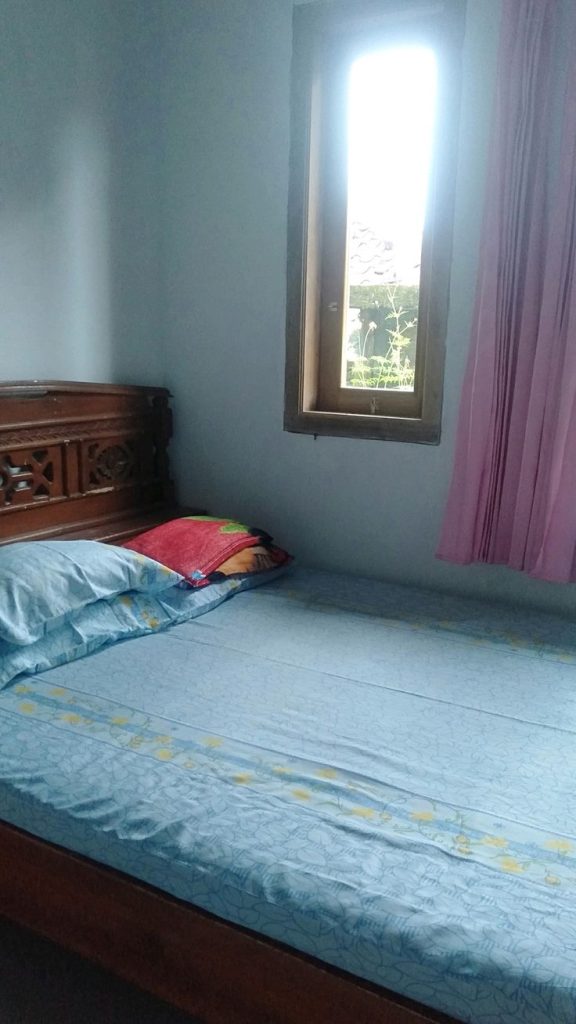
How to Create a Work-Friendly PG Room
Working from a PG room can be comfortable and productive when you create a dedicated work-friendly PG room instead of working from your bed or wherever you can find space.
For working professionals, freelancers, remote employees, and students handling internships or online projects, the room may need to serve as both a living space and a workspace. That makes organization, lighting, internet connectivity, comfort, and noise control especially important.
You don’t need an expensive home office to create an effective workspace. A compact desk, comfortable chair, reliable internet, good lighting, and a simple routine can make a significant difference.
Choose a Dedicated Work Area
The first step in creating a work-friendly PG room is to choose one specific area for work.
Ideally, your workspace should be:
- Away from the bed
- Close to a power socket
- Well-lit
- Away from heavy foot traffic
- Large enough for your laptop and essential accessories
- Comfortable enough for extended work sessions
Even if your room is small, a dedicated corner can help create a mental separation between work and relaxation.
A small workspace is usually more practical than repeatedly moving your laptop around the room.
Select a Suitable Desk
Your desk doesn’t need to be large or expensive.
Choose a desk that gives you enough room for:
- Laptop or monitor
- Keyboard and mouse
- Notebook
- Phone
- Water bottle
- Essential stationery
Avoid filling the entire desk with decorative items. Keep enough clear space to work comfortably.
If the PG already provides a study table, test its height and available space before purchasing another one.
Choose a Comfortable Chair
A comfortable chair is one of the most important parts of your workspace.
If you work for several hours each day, an unsuitable chair can quickly become uncomfortable.
Look for a chair that allows you to:
- Sit upright
- Keep your feet supported
- Position your arms comfortably
- Maintain a reasonable distance from your screen
- Work without constantly changing your sitting position
Ergonomic guidance for home workspaces commonly emphasizes suitable desk and chair height, supportive seating, and comfortable monitor positioning.
If the PG provides a basic chair, you can consider a simple lumbar cushion or seat support if permitted and needed.
Position Your Laptop or Monitor Properly
Your screen should be positioned so that you don’t have to constantly bend your neck downward.
If you primarily work on a laptop, a laptop stand can raise the screen. An external keyboard and mouse can then allow you to maintain a more comfortable working position.
If you use a monitor, place it at a comfortable viewing height and distance.
You don’t need an expensive workstation. Small adjustments to screen position can make a basic PG desk more practical.
Create a Well-Lit Workspace
Lighting is particularly important when you work from your PG room for several hours.
If possible, place your desk where you can benefit from natural light without creating screen glare.
For evening work, use a suitable desk lamp.
A practical lighting setup can include:
- Natural daylight
- Main room lighting
- Desk or task lighting
Avoid positioning a bright window directly behind your monitor if it creates reflections or makes your screen difficult to see.
Good workspace lighting should provide enough illumination while avoiding glare and harsh shadows.
Make Sure Your Internet Is Reliable
A work-friendly room needs dependable internet.
Before choosing a PG, ask about:
- Wi-Fi availability
- Internet speed
- Coverage inside your room
- Peak-hour performance
- Backup arrangements
- Router location
This is especially important if your work involves:
- Video meetings
- Cloud applications
- File uploads
- Remote desktops
- Online presentations
- Customer calls
Kunj Niwas currently lists high-speed internet connectivity as one of its property facilities, which can be useful for residents who study or work online.
You can explore the accommodation options through the Kunj Niwas website.
Keep Your Work Desk Clutter-Free
A messy desk can make a small PG room feel even smaller.
Keep only frequently used items on the desk.
For example:
Keep on the desk:
- Laptop
- Notebook
- Keyboard and mouse
- Pen
- Water bottle
Store elsewhere:
- Extra books
- Documents
- Packaging
- Unused stationery
- Cables you rarely use
A clean desk also makes it easier to start work without spending time organizing everything first.
Manage Your Cables
Chargers, laptop cables, headphones, phone cables, and extension boards can quickly create clutter.
Use simple cable-management solutions such as:
- Velcro cable ties
- Cable clips
- Small cable organizers
- A dedicated charging pouch
Keep frequently used cables accessible and avoid creating a tangled pile behind your desk.
Also avoid overloading electrical sockets or using damaged cables.
Create a Professional Video Call Background
If your job involves regular video meetings, think about what appears behind you.
A simple background can look more professional than a cluttered bed, open wardrobe, or pile of clothes.
Whenever possible, position yourself in front of:
- A clean wall
- An organized shelf
- A simple curtain
- A tidy section of the room
Keep personal or distracting items out of the camera frame.
For video calls, lighting should generally come from in front of you rather than directly behind you, which can leave your face too dark on camera.
Reduce Noise Around Your Workspace
Noise can be one of the biggest challenges when working from a PG.
Possible sources include:
- Roommates
- Common areas
- Television
- Kitchen activity
- Visitors
- Traffic
- Nearby businesses
- Construction
If possible, place your desk away from the main entrance, staircase, common room, or other high-traffic areas.
Noise-cancelling headphones can also help during focused work or meetings, but they should not be your only solution if the room is consistently noisy.
Discuss Work Hours With Your Roommate
If you share a room, communicate your working hours with your roommate.
Let them know when you have:
- Important meetings
- Client calls
- Presentations
- Deep-focus work
- Interviews
You can also agree on simple shared rules around:
- Music
- Television
- Phone calls
- Guests
- Room lighting
- Quiet hours
Clear communication can prevent many unnecessary interruptions.
Keep Your Bed Separate From Your Work Area
Working from bed may feel comfortable, but it can blur the boundary between work and rest.
Whenever possible, use a chair and desk for work and reserve the bed for relaxation and sleep.
This creates a simple psychological boundary:
Desk = Work
Bed = Rest
Even in a small room, this distinction can help you maintain a more consistent work routine.
Use Vertical Storage
A PG room may not provide enough floor space for additional cabinets or shelves.
Use vertical organization where permitted.
You can consider:
- Freestanding shelves
- Desk organizers
- Storage boxes
- File holders
- Hanging organizers
Avoid permanent drilling or modifications unless the PG management allows them.
The goal is to keep your work materials accessible without allowing them to take over the entire room.
Keep Important Work Equipment Secure
Your laptop, documents, headphones, and other work equipment may be valuable.
When leaving your room:
- Lock the room properly.
- Store important documents securely.
- Avoid leaving expensive equipment unattended in shared spaces.
- Use the storage facilities provided by the property where appropriate.
Security is another factor worth considering when selecting accommodation.
Kunj Niwas states that its property has 24/7 security and CCTV, which can provide an additional security feature for residents.
Plan for Power Interruptions
If your work depends heavily on your laptop and internet connection, think about what you will do during a power interruption.
Depending on your work requirements, you might consider:
- Keeping your laptop charged
- Using a suitable power bank where compatible
- Having mobile data available as a backup
- Asking the PG about power-backup arrangements
Before booking, ask management how electricity interruptions are handled.
This can be especially important if you regularly attend long video meetings or have strict deadlines.
Keep Your Work Materials Organized
Use separate storage for professional documents and personal belongings.
For example, create dedicated sections for:
- Work documents
- Notebooks
- Stationery
- Electronics
- Chargers
- Personal items
Digital organization matters too. Keep work files arranged in clearly named folders so you can quickly locate what you need.
Use a Simple Daily Work Routine
A good workspace works best when combined with a consistent routine.
Try setting:
- A fixed start time
- Short breaks
- A lunch period
- A defined end-of-work time
Avoid working continuously for hours without breaks.
At the end of your workday, close your laptop, organize your desk, and step away from the workspace if possible.
This helps create a clear boundary between work and personal time.
Keep Your PG Room Comfortable
Temperature and ventilation can also influence how comfortable you feel while working.
Make sure your workspace has adequate airflow and isn’t positioned in an area that becomes excessively hot or uncomfortable.
Kunj Niwas offers different room options, including AC rooms and rooms with natural ventilation, giving residents different choices based on their accommodation needs.
When choosing a PG in Karnal, consider your expected work routine along with room size, ventilation, internet, furniture, and noise levels.
Add Only Useful Accessories
You don’t need dozens of gadgets to create a productive workspace.
Useful additions may include:
- Laptop stand
- External keyboard
- Mouse
- Desk lamp
- Headphones
- Cable organizer
- Notebook
- Phone stand
Prioritize accessories that solve an actual problem.
For example, if your neck becomes uncomfortable because your laptop sits too low, a laptop stand may be more useful than decorative desk accessories.
Keep Your Workspace Clean at the End of the Day
Create a simple five-minute closing routine.
Before finishing work:
- Save important files.
- Close unnecessary applications.
- Put stationery away.
- Organize cables.
- Clear food or drink containers.
- Wipe the desk if needed.
- Put your laptop safely away.
Starting the next morning with a clean workspace can make the transition into work much easier.
What to Look for in a Work-Friendly PG
If you are choosing a PG specifically for remote work, check these features before booking:
- Reliable Wi-Fi
- Suitable desk or study table
- Comfortable chair
- Adequate lighting
- Quiet surroundings
- Power availability
- Good ventilation
- Secure accommodation
- Sufficient storage
- Convenient room layout
A property that supports these basic requirements can make remote work much easier.
Kunj Niwas offers furnished rooms, storage furniture, Wi-Fi connectivity, security, housekeeping, and multiple room types in Sector 13, Karnal.
Work-Friendly PG Room Checklist
| Feature | What to Check |
|---|---|
| Desk | Enough space for laptop and essentials |
| Chair | Comfortable for extended work |
| Lighting | Good natural and task lighting |
| Wi-Fi | Stable connection inside the room |
| Power | Convenient access to sockets |
| Noise | Away from high-traffic areas |
| Background | Clean and professional for calls |
| Storage | Enough room for work materials |
| Ventilation | Comfortable airflow |
| Security | Safe place for work equipment |
| Layout | Clear separation between work and rest |
Final Tips for Creating a Work-Friendly PG Room
Keep these points in mind:
- Create one dedicated work corner.
- Choose a practical desk and comfortable chair.
- Position your screen comfortably.
- Use suitable task lighting.
- Check Wi-Fi reliability before booking.
- Keep your desk clutter-free.
- Manage cables properly.
- Reduce noise and distractions.
- Discuss work hours with your roommate.
- Keep important work equipment secure.
- Maintain a consistent work schedule.
- Separate your workspace from your bed whenever possible.
Final Thoughts
Creating a work-friendly PG room doesn’t require a large room or expensive office furniture. What matters most is how intelligently you use the space.
A dedicated desk, comfortable chair, reliable internet, proper lighting, organized storage, and a quiet working environment can turn a basic PG room into a practical workspace.
If you’re planning to work remotely while living in a PG in Karnal, consider your work requirements before booking. Check the internet, room layout, noise levels, power availability, furniture, and overall environment.
Kunj Niwas offers furnished accommodation in Sector 13, Karnal, with Wi-Fi, storage, housekeeping, security, and multiple room options for students and working professionals.
You can also follow Kunj Niwas on Facebook for accommodation updates.